Best AI Image Generator: 12 Tested & Compared (2026)
We compared 12 AI image generators for image quality, prompt accuracy, free tiers, and commercial use to show what each tool does best.
 Gazouya Editorial Team
On this page
Note on first-hand testing: we opened and captured the product screens shown on this page ourselves. For the other eleven tools, descriptions are based on vendor documentation and published hands-on coverage — where a claim couldn't be verified, it isn't stated as tested.
Quick answer: pick by what you're making
If you don't have time to read 12 reviews, this table is enough.
| What you need | Start here | Why |
|---|---|---|
| Anime and illustration from natural-language prompts | Gazouya | Reads Japanese and English prompts literally. 30 free credits daily; paid plans from $9.9/mo |
| Maximum image quality, no budget limit | Midjourney | Still the aesthetic benchmark |
| Conversational iteration inside a chat | ChatGPT (GPT Image) | Edit by talking. Zero learning curve |
| Commercial safety you can explain to a client | Adobe Firefly | Trained on licensed content. Lives inside Photoshop |
| Finished graphics, not just images | Canva AI | Generation and layout in one canvas |
| Photorealism on an open model | Flux | Strongest faces and real-world scenes |
| Unlimited free generation, full control | Stable Diffusion | Open source. No per-image cost locally |
| Legible text inside the image | Ideogram | Best typography rendering in the category |
| No subscription at all | Microsoft Designer / Google ImageFX | Free, powered by DALL·E 3 and Imagen |
| Character consistency across images | Leonardo AI | Character reference and custom models |
| Editing one region of a photo, keeping the rest intact | Nano Banana (Gemini) | Region-level edits from plain instructions. Free account |
| Cheap art with a community attached | NightCafe | Multiple models, active community, low entry price |
The rest of this page explains why these twelve, and where each one actually falls short.
What "best" means now that the category has split
Two years ago the question was which generator produced the prettiest image. That question is settled enough to be boring. Midjourney wins on default aesthetics, and everyone else has caught up on "good enough."
What actually separates these tools in 2026 is four testable things:
- Can you reproduce a result? Style references, seeds, and saved presets matter more than raw quality once you're working on a real project.
- Can you put text in the frame? Legible words are still hit-and-miss for most models. The ones that get it right open up poster and mockup work.
- Can you use the output commercially? The training data question decides whether an agency will let you near a client deliverable.
- Does it fit your existing process? An image that lands in Photoshop or Canva saves more time than one that's 5% prettier and needs exporting.
We ranked on those four, not on a leaderboard.
A note on how this list was built: the shortlist came from the top-ranking comparison pages on Google for this query, cross-checked against vendor documentation. Tools that appear in only one list and can't be verified elsewhere were left out. Pricing was checked against vendor sites in November 2026 and changes often — confirm before you buy.
1. Gazouya — best for anime and illustration from a plain prompt
What it is
A browser-based image generator built for Japanese speakers, run by a Japanese team. The interface, the prompt box and the default model all assume you're writing in Japanese, not translating into English first. Beyond text-to-image, it covers illustration, anime, manga, character sheets and standing portraits in one workspace.
What stands out
- Prompts go in as written Japanese. No translation layer, so the intent survives the trip
- Separate entry points per output type — AI Illustration Generator and AI Anime Generator are their own pages, not buried presets
- GPT Image 2.5 by default, switchable at the top; up to 6 reference images
- Background remover, upscaler and photo editor in the same workspace, so nothing gets exported and re-imported
- Credit pricing is metered per generation, and the rate changes with model and resolution
What it costs
Free at 30 credits a day (10 as a guest, 20 more signed in, reset daily). Paid plans start at $9.9/month. Credits track cost, not image count: at 2 credits per 1K image on GPT Image 2.5, the free 30 credits is about 15 images — enough to line up five or six composition variants. Commercial-use terms are in the vendor's terms of service.
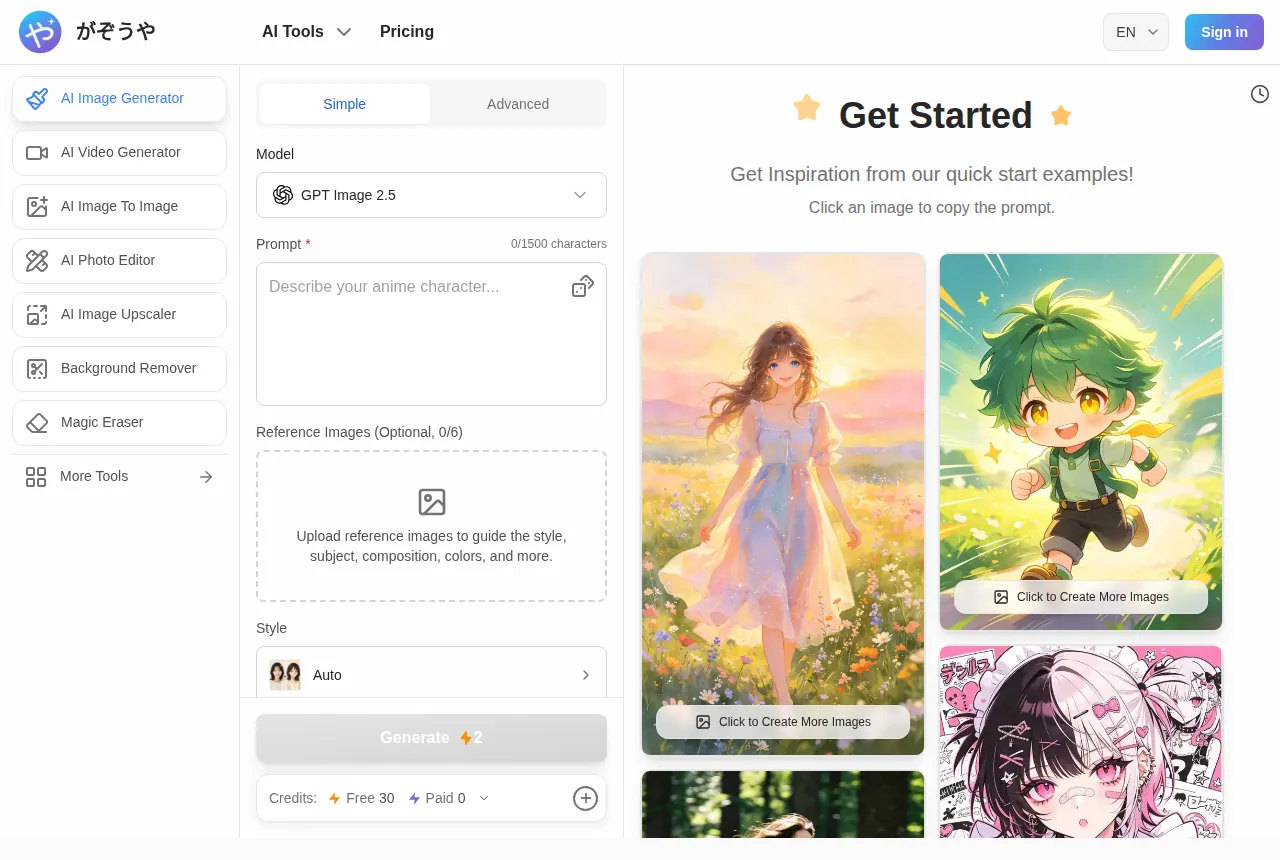
Screenshot of gazouya.com/en, November 2026. Reference image and style controls sit directly under the prompt box — the intended workflow is words first, one reference image second.
When to reach for it
Blog headers, social illustrations, character sheets, a single manga panel draft — anything where you'd describe a scene in Japanese and want the picture to match.
Where it falls short
Photorealism sits outside its main focus — for that, a general-purpose model such as Midjourney leaves more room to push detail and lighting.
Best for
anime and illustration work described in Japanese, and anyone who doesn't want to write prompts in English.
2. Midjourney — best raw image quality
What it is
The service that made "AI image" a household phrase. Midjourney opened as a Discord bot in July 2022 and has since moved its centre of gravity to the web app, where everything works without touching Discord. The current model is V8.2, and on pure image quality it is still at the front of this category.
What stands out
- Light, composition and surface texture are handled better than anywhere else here
- Reference features are split by job: Style Reference for mood, Character Reference for the same face, Omni Reference for a specific object
- The Editor changes part of an uploaded image instead of regenerating the whole frame
- Video generation is in the web app, so a still can be animated without leaving
- Explore publishes community work alongside the prompts, which is the fastest way to learn its dialect
- Billing is by Fast GPU hours, not image count
What it costs
Four tiers from Basic at $10/month ($8 yearly) to Mega at $120. What matters is **Standard ($30) and up**: once Fast hours run out, Relax mode keeps generating, just slower — tens of seconds becomes a few minutes — and the practical ceiling disappears. That "wait and it's unlimited" is the real value of the higher tiers. There is no free tier.
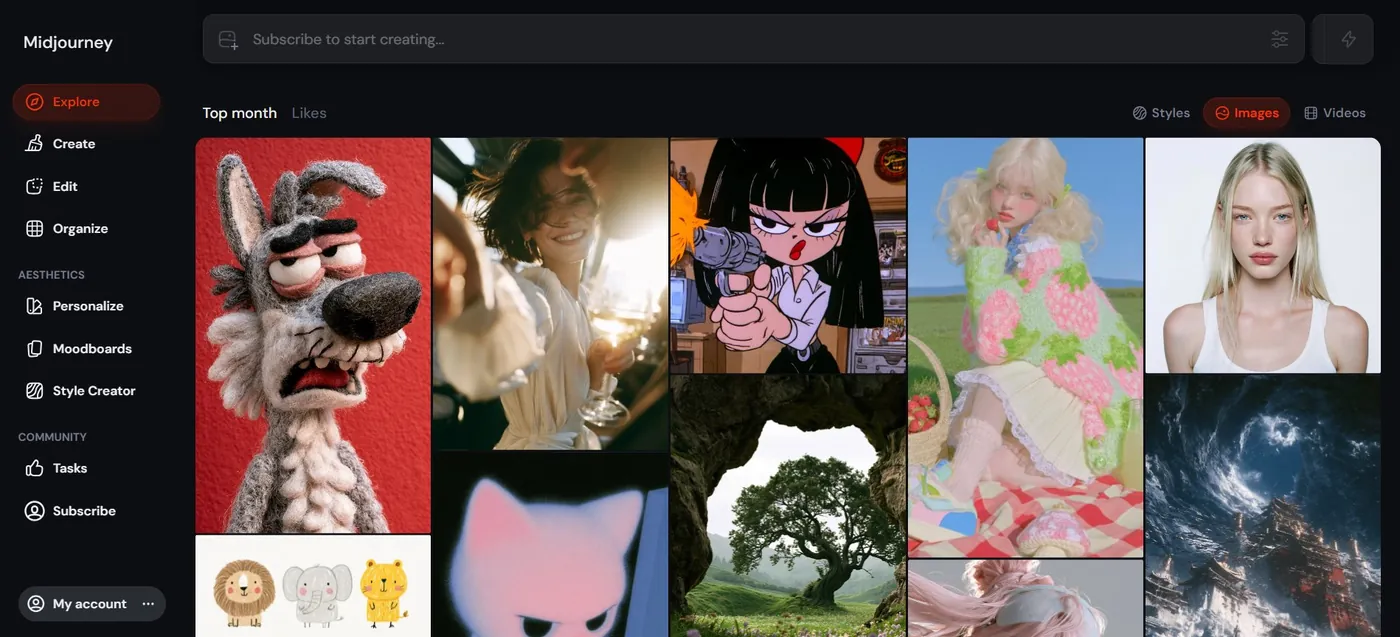
Screenshot of midjourney.com, November 2026. A felt wolf, a figure raising a glass, an anime frame, a lit cave — unrelated subjects, one consistent approach to light and material.
When to reach for it
Concept art for a client, ad visual directions, the one hero image that has to look expensive. Anywhere quality is the deliverable and you can afford to iterate.
Where it falls short
Written examples and guides are mostly in English, so English phrasing is easier to tune. Companies with more than $1M in annual gross revenue are required to hold Pro or above, and private generations start at Pro — on Basic and Standard your work appears in Explore by default.
Best for
anyone whose priority is the image itself.
3. ChatGPT — best for making images mid-conversation
What it is
Image generation inside ChatGPT, not a separate product. The current model is ChatGPT Images 2.5, released 8 September 2026. The defining difference from everything else on this list is that you don't sign up for an image tool at all — you use the chat window you already have open.
What stands out
- Conversational revision: "darker background", "add one more person" — the model keeps the rest of the frame
- No prompt syntax to learn. Plain sentences work
- Text inside images comes out mostly legible
- You can annotate the image itself and change just that region
- Image generation is metered separately from text chat. Unlimited messages don't mean unlimited pictures
What it costs
OpenAI doesn't publish an image count for any tier — the pricing page gives qualitative wording only: limited, more, more complex and accurate, unlimited within abuse guardrails. Four tiers, with Plus at $20/month. The figures circulating online ("2–3 a day on free", "50 per 3 hours on Plus") don't trace back to OpenAI's documentation; the only reliable number is the reset timer your account shows.
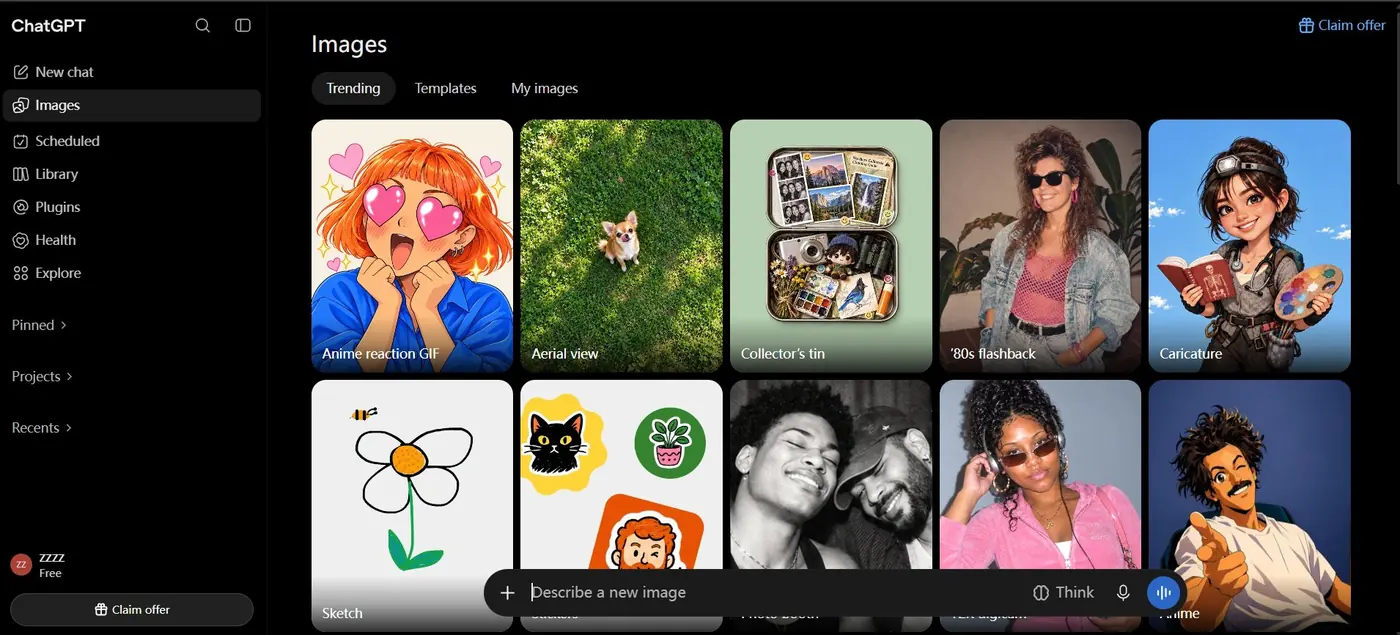
Screenshot of chatgpt.com's Images page, November 2026, signed in on the free tier. The tabs switch between Trending, Templates and My Images; the grid is community output. The box at the bottom takes a plain description — no prompt syntax to learn.
When to reach for it
Assets you need while you're already writing something. Editing one region of an existing photo. Cases where the composition is right and only a detail is off.
Where it falls short
Free-tier limits are unpublished and shift with system load. Style control is coarser than in a dedicated generator, so detailed anime work is easier elsewhere.
Best for
first-timers, and anyone who wants one image without a new subscription.
4. Adobe Firefly — best for commercial safety
What it is
Adobe's generator, launched March 2023 and positioned to plug directly into Photoshop and Illustrator. Its training data is licensed, which is the difference that matters to anyone putting generated images into paid work. Since 2026 it also hosts partner models — Google, OpenAI, Flux and Runway — in the same picker.
What stands out
- Trained on licensed and public-domain content, which is why agencies accept it
- Firefly Image 5 is the in-house model, at 10 credits per generation
- Partner models share the same interface — Nano Banana Pro, FLUX.2 Pro, GPT Image and others
- Generative Fill inside Photoshop, and vector generation in Illustrator
- Outputs carry Content Credentials (C2PA), so an asset can declare itself AI-generated
What it costs
Five tiers from a limited free allowance to Premium at $199.99/month; Standard is $9.99 with 2,000 credits. The credit cost per image depends on the model — Firefly Image 5 runs 10 credits, Nano Banana Pro runs 40 — so the same 2,000 credits is a fourfold difference in output depending on what you pick.
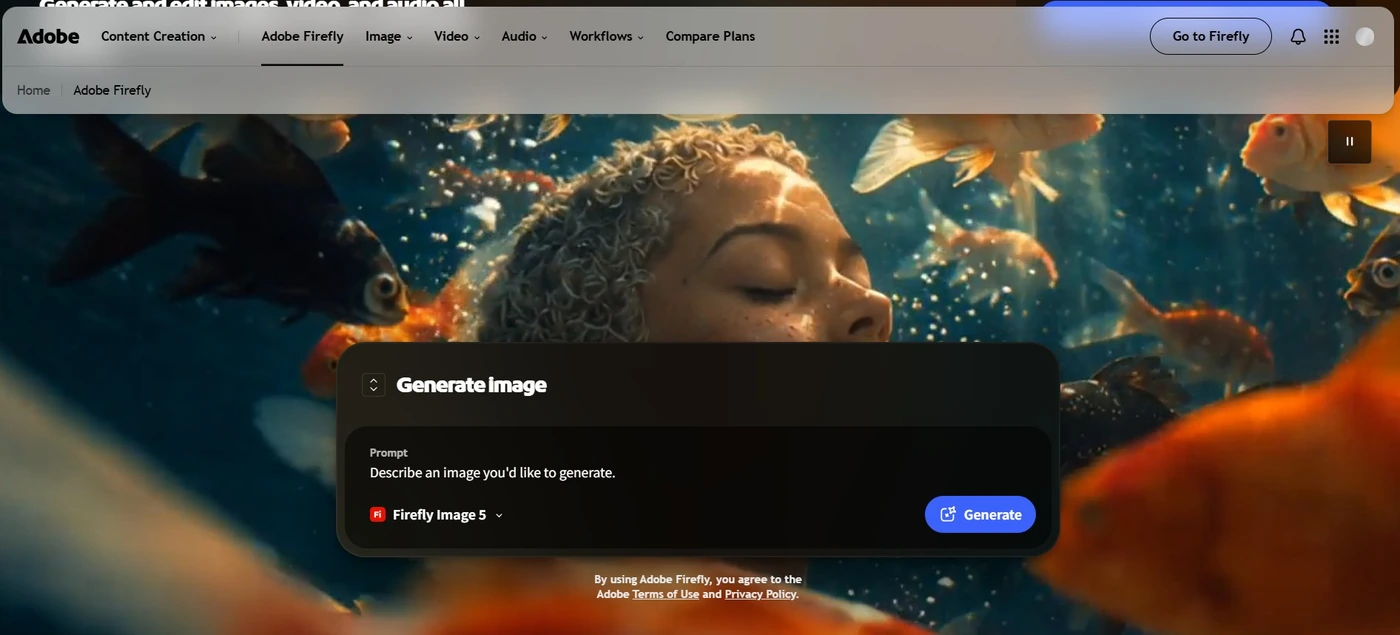
Screenshot of adobe.com/products/firefly, November 2026. Model picker, prompt box and Generate in one card — the model choice is now a first-class decision, not a hidden default.
When to reach for it
Agency and studio work where the deliverable needs a defensible provenance story. Generative Fill is the feature that earns its keep day to day.
Where it falls short
Its own model stays on the restrained side, which is part of why commercial use is easy to justify. Strongly stylised anime work leaves more room on a specialist tool. The models included in unlimited plans change over time, so check the current table before signing.
Best for
commercial work, and teams already inside Creative Cloud.
5. Canva AI — best when the image is one step, not the job
What it is
Image generation inside Canva, a design platform used by 190 million people a month. The AI layer is called Magic Studio, and the image generator within it is Dream Lab, which runs on Leonardo AI's Phoenix model — Canva acquired Leonardo in July 2024, so the engine is in-house.
What stands out
- Generate and edit in one place. No export, no re-import — images land as editable objects
- 5M+ templates, and Magic Resize reformats a design for every channel in one click
- 20-plus style presets, so you can pick a direction without writing a prompt
- Dream Lab can take a reference image and change the look while keeping the composition
- Brand Kit pushes your colours, fonts and logo into generated output automatically
- No public API for generation — automation isn't the point
What it costs
The free AI allowance is thin — roughly 50 image generations in total. Pro is $15/month ($120/year) with 500 AI credits, Business $20/user. One generation costs 4–8 credits, so 500 credits is realistically 60–125 images, not 500.
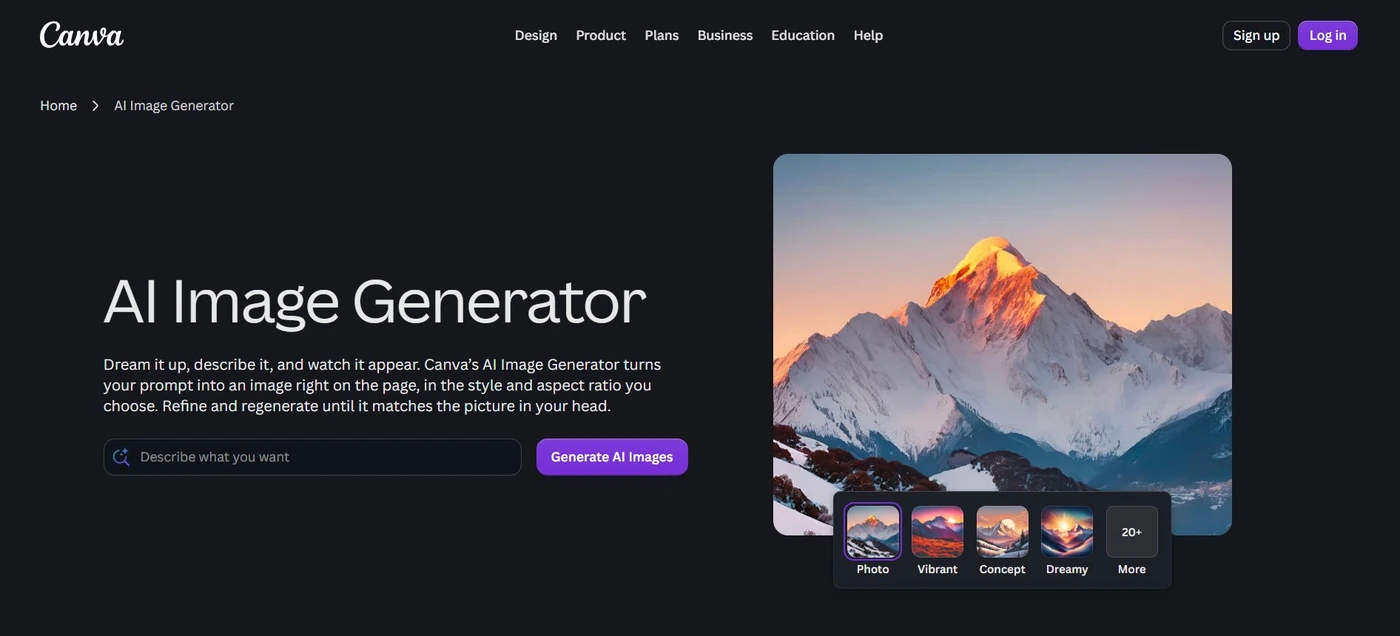
Screenshot of canva.com/ai-image-generator, November 2026. The style row is the tell: the product expects you to choose a direction, not to describe one.
When to reach for it
Weekly social output, flyers, internal decks — work where images are components and you need ten of them consistent, not one of them perfect.
Where it falls short
The value sits in the workflow rather than in any single image. When one image has to carry a whole project, a dedicated generator gives you finer control. The free tier is sized for trying things out.
Best for
social and marketing production at volume, and anyone already designing in Canva.
6. Flux — best for photorealism
What it is
Black Forest Labs builds Flux, and the founding team came out of the original Stable Diffusion work — which explains why Flux feels like the same lineage with a decade of polish applied. It is sold as a model and an API, not as a subscription app: you pay per image, with no seats and no monthly floor. FLUX 3 Image is the current flagship; FLUX 3 Image Klein is the small open-weight sibling at 5.6B parameters.
What stands out
- Photorealism is the headline. Skin, fabric and glass hold up under inspection better than most of this list
- Pay-per-image with no subscription, and the playground is priced like the API
- Open weights on Klein, which means self-hosting and fine-tuning are actually available
- Native 4K output at the top tier, plus video generation priced per second
- No free credits. The playground is a test bench, not a free tier
What it costs
Priced per image and scaling with resolution: around $0.04 at 768², $0.05 at 1K, and $0.60 at 4K. Klein is cheaper still, at $0.008–$0.036. The cost is predictable and the same for testing as for production, but it is linear in volume — fine at fifty images, uncomfortable at fifty thousand if you haven't done the arithmetic.
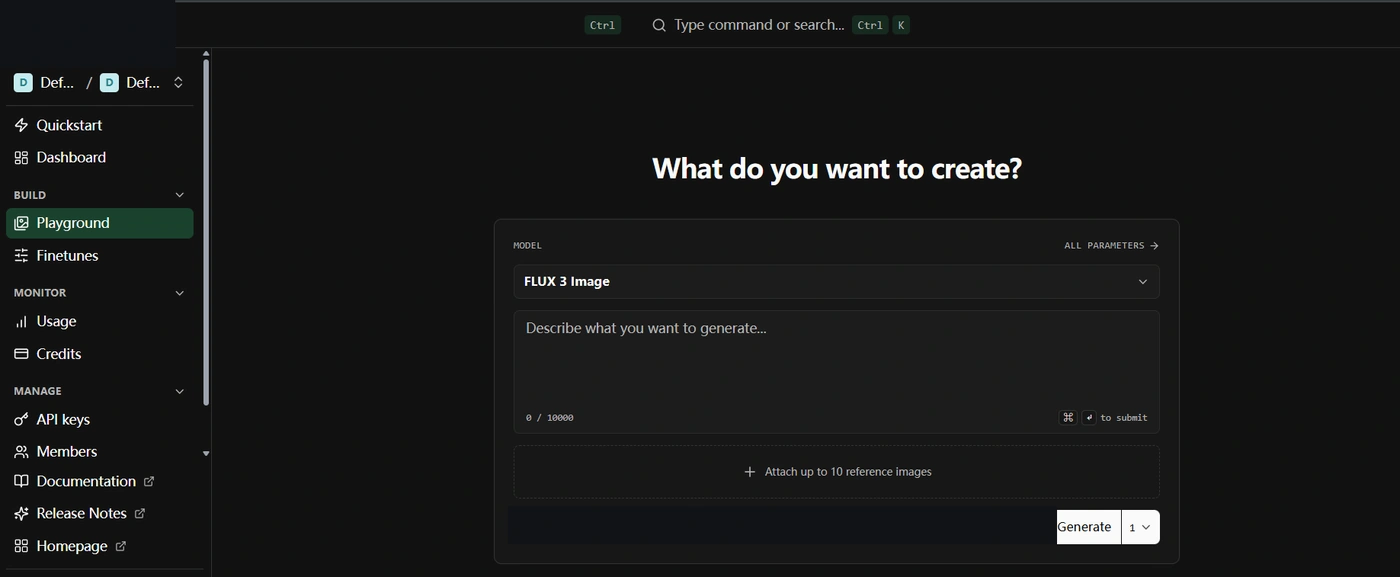
Screenshot of the BFL playground, November 2026. Model picker across the top, one prompt field, an attach-reference row, a Generate button. The surface is deliberately thin, because the product is the model underneath.
When to reach for it
Product shots, editorial photography, anything where a viewer might mistake the output for a camera. Also the right answer when you're building a pipeline rather than making a picture.
Where it falls short
There's no free tier, and pricing is per image, so cost scales with volume. A raw model API also means assembling the surrounding workflow yourself. For text inside the image, Ideogram is the more established choice.
Best for
photorealism, and developers who want a model rather than an app.
7. Stable Diffusion — best for unlimited free generation
What it is
Stability AI released Stable Diffusion as open weights in August 2022, and that decision is why the model still matters. Anyone can download it and run it on their own hardware. The family has branched — SD 1.5 remains the base for a huge library of community fine-tunes, SDXL moved to a larger architecture, and SD 3.5 is the current generation.
What stands out
- Free when run locally — no per-image cost, no monthly cap, no queue
- Swap base models to change the entire look. Hundreds of community checkpoints exist
- LoRA trains a specific style or face; ControlNet pins pose, depth or edge structure
- ComfyUI, AUTOMATIC1111 and Forge give you three different ways to work
- Fix the seed and a result is reproducible — the one feature that makes client revisions tractable
- Runs on roughly 8GB of VRAM; 12GB or more is comfortable for SDXL
What it costs
Nothing in licence fees locally — your cost is the GPU and the electricity. Hosted versions have free tiers with queues on heavier models. "Free" means something different here: the metering doesn't exist, and what you pay instead is setup time.
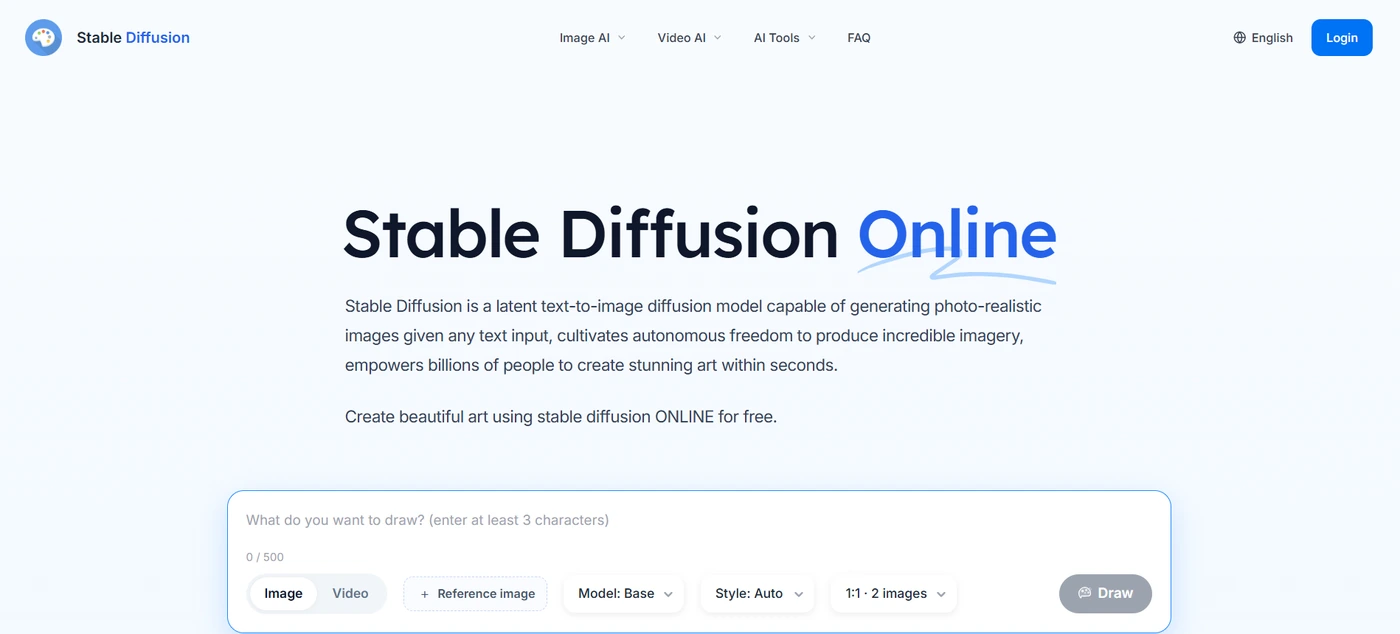
Screenshot of stablediffusionweb.com, November 2026. Model, style, batch size and aspect ratio all sit under the prompt — the parameter surface that hosted versions expose and local installs expose completely.
When to reach for it
The same character in forty poses. A specific look reproduced on your own machine. Material you can't upload to a hosted service.
Where it falls short
Running it locally calls for a capable GPU and some setup time before the first image. Licence terms vary across community models, so check provenance before putting output into paid work.
Best for
anyone willing to build the environment, and anyone generating at volume.
8. Ideogram — best for text inside the image
What it is
Ideogram launched in 2023 with a founding team that includes researchers from Google Brain's image generation work. It picked one hard problem — rendering legible words inside a generated image — and designed around it from the start. Most models can produce something that looks like a poster; far fewer can produce one where the shop name is spelled correctly.
What stands out
- Words come out intact. Short strings like "SALE", "OPEN" or a price land where you put them
- Magic Prompt expands a short input into a usable description
- Up to 10 reference images, which is how a logo or a face stays fixed across variants
- Same wording, different moods, side by side — the fastest way to show a client three directions
- Run out of credits on Plus or above and you keep generating in a slower queue
What it costs
The free tier is 30 credits per week, not per day — about four images a day, and outputs are public. Plus is $20/month ($15 yearly) with 2,400 credits, Pro $60, Team $30 per user. The slow queue only covers Ideogram's own models; reference-image generations and edits still consume credits.
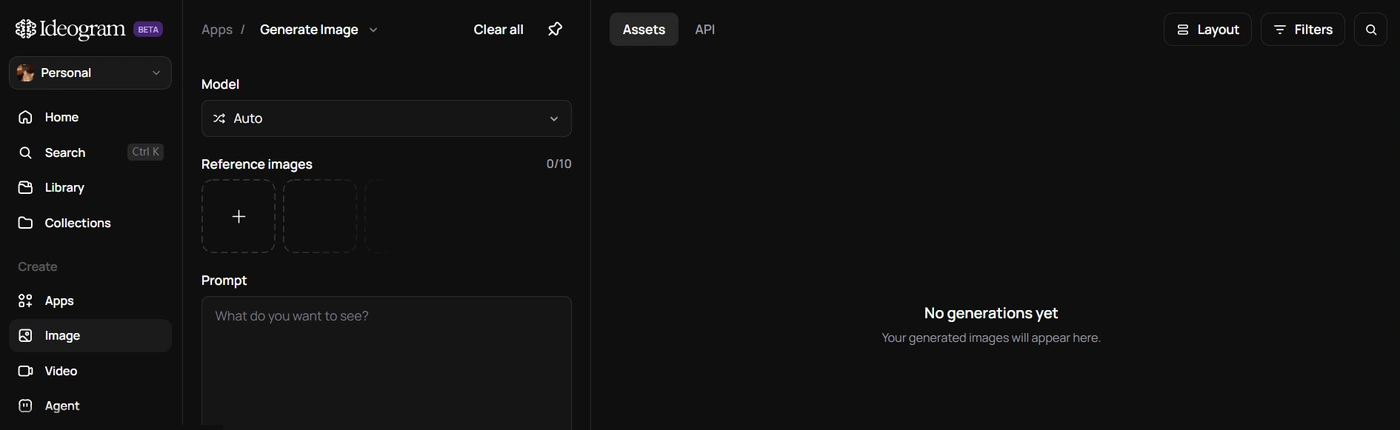
Screenshot of ideogram.ai, November 2026. Reference images sit next to the prompt, which is how Ideogram keeps a logo or a face stable across variants.
When to reach for it
Posters, mockups, event announcements — anything where the words inside the frame have to be readable.
Where it falls short
Non-Latin scripts are less predictable than Latin ones, and accuracy drops as strings get longer. For Japanese poster text, it is worth planning to tidy the type in a design tool afterwards.
Best for
posters, merch mockups, and anything where the words are part of the artwork.
9. Leonardo AI — best for character consistency
What it is
A Sydney-built platform that started in December 2022 and was acquired by Canva in July 2024, though it still runs as its own product. Leonardo is less a single model than a workbench that hosts many: its own Phoenix, Lucid Origin and Lucid Realism, plus partner models including FLUX, GPT Image, Nano Banana, Seedream and Ideogram.
What stands out
- Character Reference holds a face across dozens of generations, which is what comic and sticker workflows need
- Custom model training on your own images — 10, 20 or 50 slots depending on tier
- AI Canvas for inpainting, outpainting and compositing in one workspace
- Motion turns a still into a short clip; 3D texture generation covers game assets
- Blueprints package a whole workflow into a reusable preset
- A Creative Engine API since February 2026
What it costs
Free at 150 tokens a day, Essential at $12/month with 8,500 tokens, Premium $30 and Ultimate $60. Video burns tokens far faster than images, and how many images a token buys depends on the model — budget by jobs, not by the headline number.
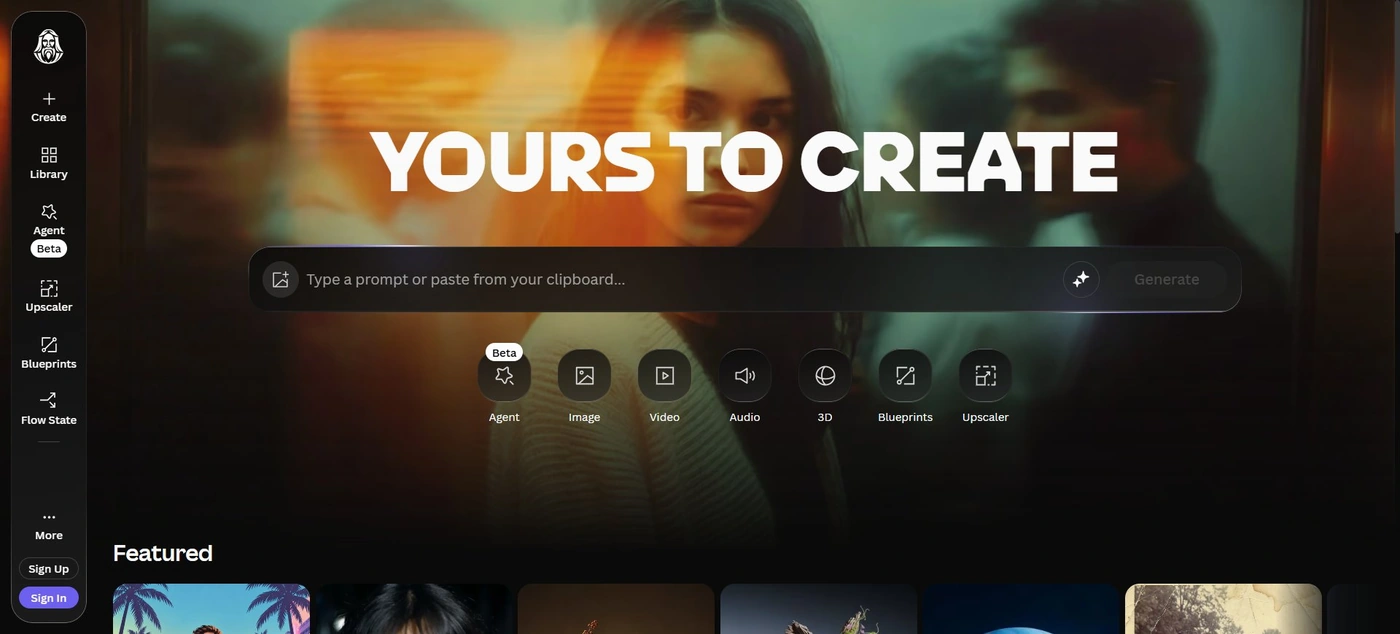
Screenshot of leonardo.ai, November 2026. One prompt bar, seven output types. Character Reference exists so the same subject survives the switch between them.
When to reach for it
Comic panels, sticker packs, game character sheets — work where the same face has to survive twenty different poses. Also the right call when you want a broad model library without buying each vendor separately.
Where it falls short
The interface carries a lot of controls, so the first session takes some orienting. Token costs also vary by model and setting, which makes budgeting less predictable than a flat per-image rate.
Best for
game assets, webcomics, and any project needing the same character repeatedly.
10. Nano Banana (Gemini) — best free option from a major platform
What it is
Google's image generation inside Gemini. The strong version is Nano Banana Pro, officially Gemini 3 Pro Image, announced 20 November 2025. It sits on top of Gemini 3 Pro, so it inherits reasoning rather than just synthesis: it can pull current information through Search grounding before drawing.
What stands out
- In-image text accuracy in the mid-90s percent range, including multilingual layouts
- Blends up to 14 reference images, keeping up to 5 subjects consistent
- 2K and 4K output with aspect-ratio control
- Localised edits plus camera angle, focus and lighting changes
- Search grounding for infographics, diagrams and anything time-sensitive
- Available in the Gemini app, AI Mode, NotebookLM, Slides, Vids and Flow
What it costs
The free tier runs on a two-stage allowance: 3 Nano Banana Pro images a day, then it falls back to base Nano Banana at roughly 100 a day. Paid tiers are Google AI Pro at $19.99/month (100 a day) and Ultra from $99.99 (1,000 a day). Free Pro output is around 1K with a visible watermark; 2K/4K and clean exports are paid.
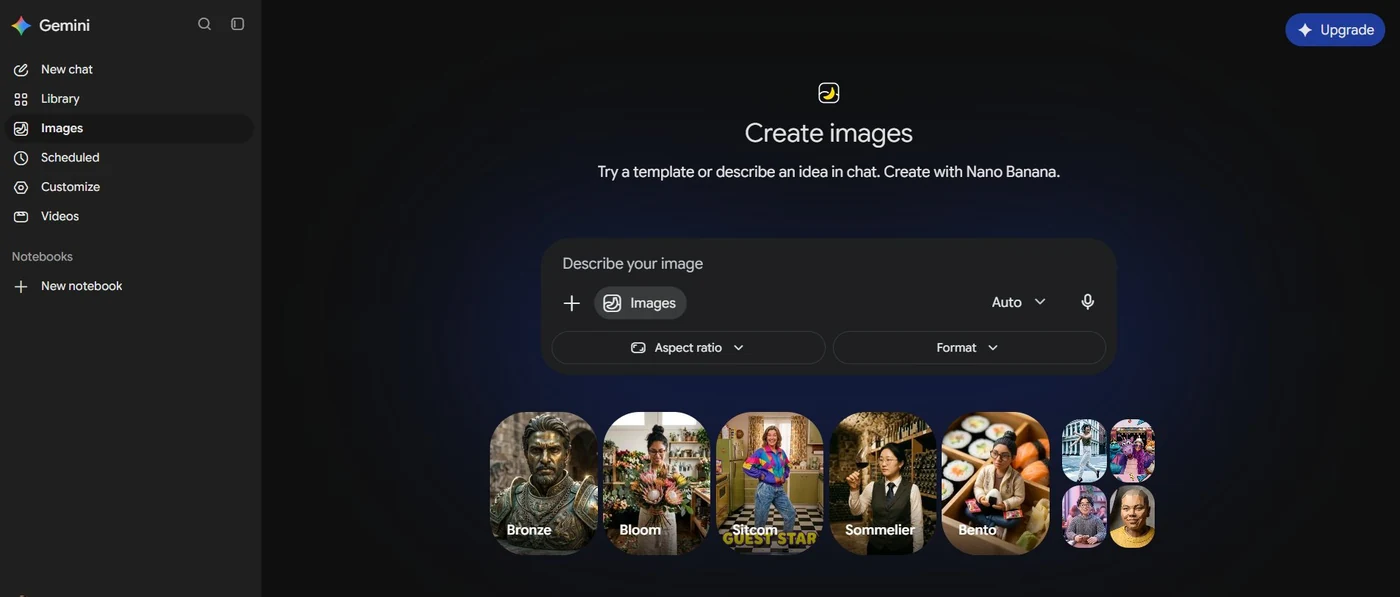
Screenshot of Gemini's Images page, November 2026. The subtitle names the model outright — Create with Nano Banana. Under the prompt box sit a model selector (Auto), aspect ratio and format; the row below is a set of prompt templates, so you can start without writing a description.
When to reach for it
Editing one region of a photo you already have. Checking what this category can do before paying anyone. Building an explainer image that has to be factually current rather than merely attractive.
Where it falls short
Results vary from one generation to the next, and fine anime styling is better served by a dedicated tool. The free allowance on the higher model is small — enough to evaluate it, not to run a production workflow.
Best for
trying the category for free, photo-based editing, and information-rich images.
11. Microsoft Designer — best zero-cost entry point
What it is
Microsoft's design tool, sitting at designer.microsoft.com and inside Word, PowerPoint and the Windows Photos app. It started on DALL·E 3 and now exposes several models behind the same prompt box. It is not a generator with templates bolted on — it's a template tool with a generator inside, which is why an image arrives already sized for a channel.
What stands out
- No subscription needed to start; a personal Microsoft account is enough
- DALL·E-lineage quality without a ChatGPT subscription
- Templates for social, cards, posters and invitations, so the output is a finished asset
- Generative Erase, Expand and Remove Background sit next to the prompt box
- Native inside Word and PowerPoint — no export-import step
- Free-tier exports carry no watermark, which is not true of most free tiers
What it costs
The free allowance is 15 AI credits a month, and there is no Designer-only paid tier — more credits means buying Microsoft 365 Personal ($6.99) or Family ($9.99), both at 60 a month. That is the honest read on "completely free": it costs nothing, but 15 credits is roughly four rounds of variations.
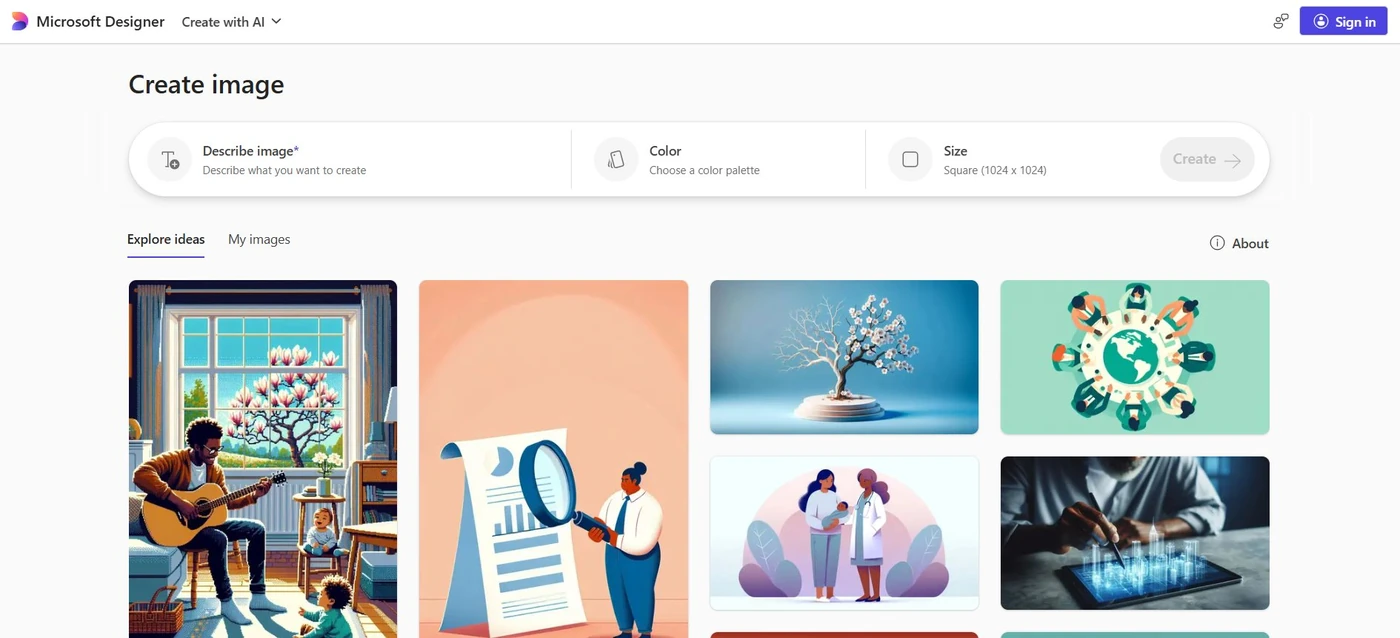
Screenshot of designer.microsoft.com, November 2026. Three controls, one button, and Create stays grey until you type. Size already reads Square (1024 x 1024) — the output is decided before the prompt is.
When to reach for it
One image, once, with no intention of building a workflow. Students, internal comms, a quick announcement graphic.
Where it falls short
At 15 credits a month, the allowance covers a modest number of tries. Controls are fewer than in a dedicated generator, and the template library is organised by category rather than by the hundreds of thousands.
Best for
occasional use, students, and anyone already inside Microsoft 365.
12. NightCafe — best low-cost option with a community
What it is
NightCafe has been running since 2019, which makes it older than the phrase "generative AI". It has stayed in one role: a place where many models live behind one login, surrounded by a community rather than a workflow. The model list is the widest here — Flux, DALL·E 3, Ideogram, Seedream, Nano Banana, SDXL, Imagen and more.
What stands out
- Access to dozens of models in one place, including ones that cost more elsewhere
- Active community with daily challenges, likes, badges and a public gallery
- Free 5 credits a day, plus 3 more for entering and voting in the daily challenge
- Base Stable Diffusion generations are unlimited even on the free plan
- Commercial use is permitted on the free plan, if you hold the rights to any reference images
- Fast credits roll over and don't expire — unusual in this category
What it costs
Free gets 5 credits a day. Paid tiers start at AI Hobbyist, $12.49/month ($7.49 yearly), and top out at AI Artist, $62.49. Yearly billing takes about 40% off, and credit packs exist without a subscription at roughly double the per-credit rate.
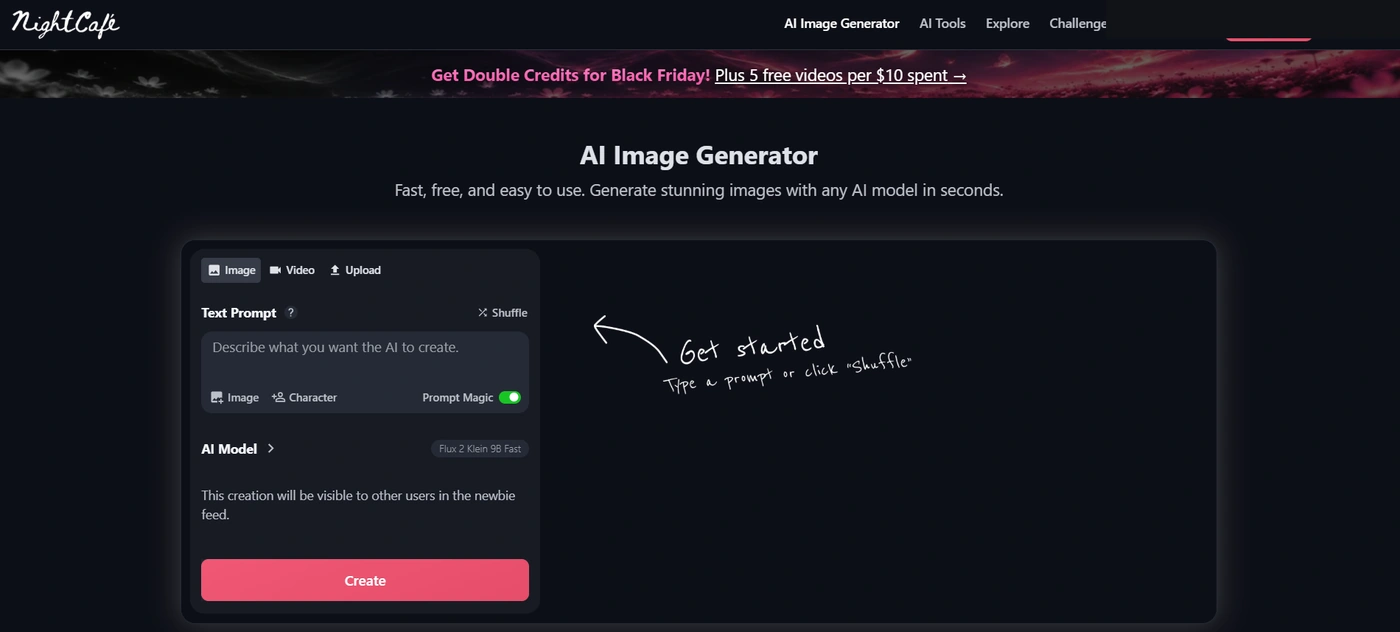
Screenshot of nightcafe.studio, November 2026. The model is a row inside the panel, not a menu at the top — a fair summary of how the product is organised.
When to reach for it
Learning the category on a small budget, or making art where the community is part of the appeal. If you want a dozen models behind one login, this is the least friction.
Where it falls short
Five free credits go quickly on premium models — the unlimited free tier covers base Stable Diffusion, and the higher-end models sit behind PRO. The interface has gathered a lot of features over the years, so the first visit takes a little exploring.
Best for
hobbyists who want variety and a community around it.
Comparison table
Each column is rated on the same four-level scale: Strong / Fine / Conditional / Not supported.
| Tool | Prompt adherence | Free tier | Anime / illustration | Commercial safety | Best for |
|---|---|---|---|---|---|
| Gazouya | Strong (literal, natural language) | Strong (daily reset) | Strong (core strength) | Fine (check terms) | Anime & illustration |
| Midjourney | Fine (loose but expressive) | Not supported (no free tier) | Fine | Fine (paid plans) | Maximum quality |
| ChatGPT (GPT Image) | Strong (very literal) | Conditional (paid tier) | Conditional | Fine | Conversational editing |
| Adobe Firefly | Fine | Fine | Conditional | Strong (licensed data) | Commercial work |
| Canva AI | Fine | Fine | Conditional | Fine | Design workflows |
| Flux | Strong (physical detail) | Fine (via hosts) | Conditional | Conditional (check licence) | Photorealism |
| Stable Diffusion | Strong (with right model) | Strong (fully free) | Fine (model-dependent) | Conditional (per-model) | Power users |
| Ideogram | Fine | Fine | Conditional | Fine | Text in image |
| Leonardo AI | Strong | Strong (daily tokens) | Fine | Fine | Character consistency |
| Nano Banana | Strong | Strong | Conditional | Fine | Free trial |
| Microsoft Designer | Fine | Strong | Conditional | Fine | Zero-cost start |
| NightCafe | Fine | Strong (credits) | Fine | Fine | Hobby variety |
How to read the ratings
- Strong — built around this as a core strength
- Fine — handles it adequately
- Conditional — depends on plan, model or context, or weaker than the alternatives
- Not supported — the tool doesn't do this
Prices are USD, monthly billing, excluding tax, checked against vendor pricing pages on 26 November 2026. Tiers and free allowances change often — confirm on the vendor's site before you buy.
Does prompt language actually change the output?
Yes — and this is where most comparison pages say nothing useful.
Translation loses nuance. "A woman at a summer festival at night, lantern light, anime style" carries the scene. But describe it in a language the model handles more literally, and details like the quality of the light survive the way you intended them.
Three things worth specifying
Most people leave these out, and most of the "the prompt didn't work" complaints trace back to one of them:
- Style: "watercolour", "anime", "thick impasto", "clean line art"
- Light: "backlit", "soft evening light", "pale pastel tones"
- Framing: "close-up on the face", "wide shot", "generous negative space"
The habit that fixes most bad prompts
Subject first, atmosphere second. "Woman in a yukata, summer festival night, lantern light, anime style" — short clauses, one idea each — beats a paragraph of adjectives.
Stacked modifiers are the most common failure. "Breathtaking, ethereal, ultra-premium atmosphere" adds almost nothing on current models and tends to pull the output away from what you actually wanted.
Adjusting one variable at a time is the other discipline. Changing four things between generations tells you nothing about which one mattered.
Converting an existing photo
The same logic applies, with one addition: split the instruction. State what must stay ("keep the composition") and what should change ("thinner lines, paler colour") as two separate steps. Doing both in one prompt is where the likeness usually drifts.
FAQ
Is there a completely free AI image generator?
Several. Stable Diffusion is free when run locally. Microsoft Designer is free with a Microsoft account and runs on DALL·E 3. Gazouya gives 30 free credits a day, and Google's ImageFX and Nano Banana are free to use. Free-tier terms change often, so confirm on the vendor's site.
Which AI image generator is best overall?
Midjourney for raw aesthetic quality; Flux for photorealism; ChatGPT's GPT Image for prompt precision; Ideogram for text. "Best overall" only means something once you know what you're making.
Can I use AI-generated images commercially?
It depends on the tool, the plan, and how the image will be used. Adobe Firefly is the usual starting point for client work because it's trained on licensed content. Most tools grant commercial rights on paid plans, but the terms differ on what you may actually do with the output — reselling raw generations, using an image as a logo, and training your own models are often restricted separately. Stable Diffusion depends on the licence of each downloaded model. Free tiers are usually narrower than paid ones.
Treat this as a starting point rather than legal advice: read the licence for the plan you're actually on, and if the image is going into a client deliverable, confirm with whoever signs off on risk.
Which is best for anime-style images?
Gazouya is the most direct route, with dedicated AI illustration and AI anime generators rather than a style preset buried in a menu. Stable Diffusion with a community anime model gives more stylistic range if you're willing to learn the pipeline.
Do I need a powerful computer?
No, for almost all of them. Everything here runs in a browser except Stable Diffusion and self-hosted Flux, which want an 8 GB+ GPU.
Which one keeps a character consistent across images?
Leonardo AI, using Character Reference. Gazouya's reference-image upload covers similar ground for shorter projects.
Bottom line
Three things are worth deciding before you compare tools:
- What are you making? If it's anime or illustration, quality benchmarks built on photorealism won't help you.
- What's your budget? Free tiers vary from "a few images a day" to "unlimited locally". Start free, upgrade when you hit a wall.
- Will you use it commercially? This one decides the shortlist, not the ranking.
Start with the free tier of whichever tool matches your use case and make one image. Prompt writing is learned by doing, and the first image teaches you more than a tenth comparison table.
Gazouya doesn't require installation and gives 30 free credits a day — start creating an AI image for free and see what one plain-language prompt gets you.